A digital cookbook for your Fujifilm camera. Free and open source.
Bring in recipes from anywhere, manage and search your library, test them on your own RAW files, and push your favourites straight to your camera.
For iPhone and iPad, iOS 17 or later. No subscription, no ads, no account.
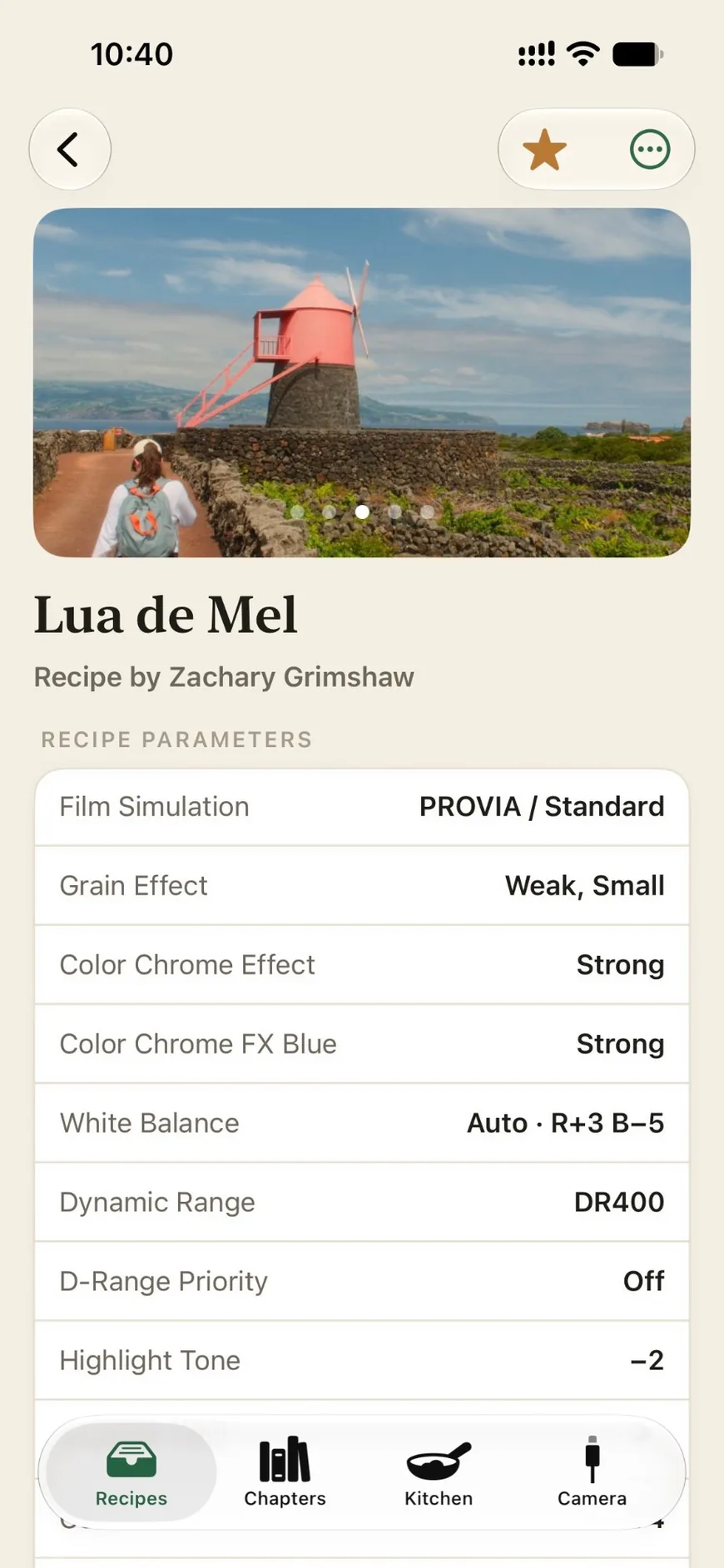
How it works
1
Find
Bring in recipes from a screenshot, a JPEG, a shared file or your camera.
2
Test
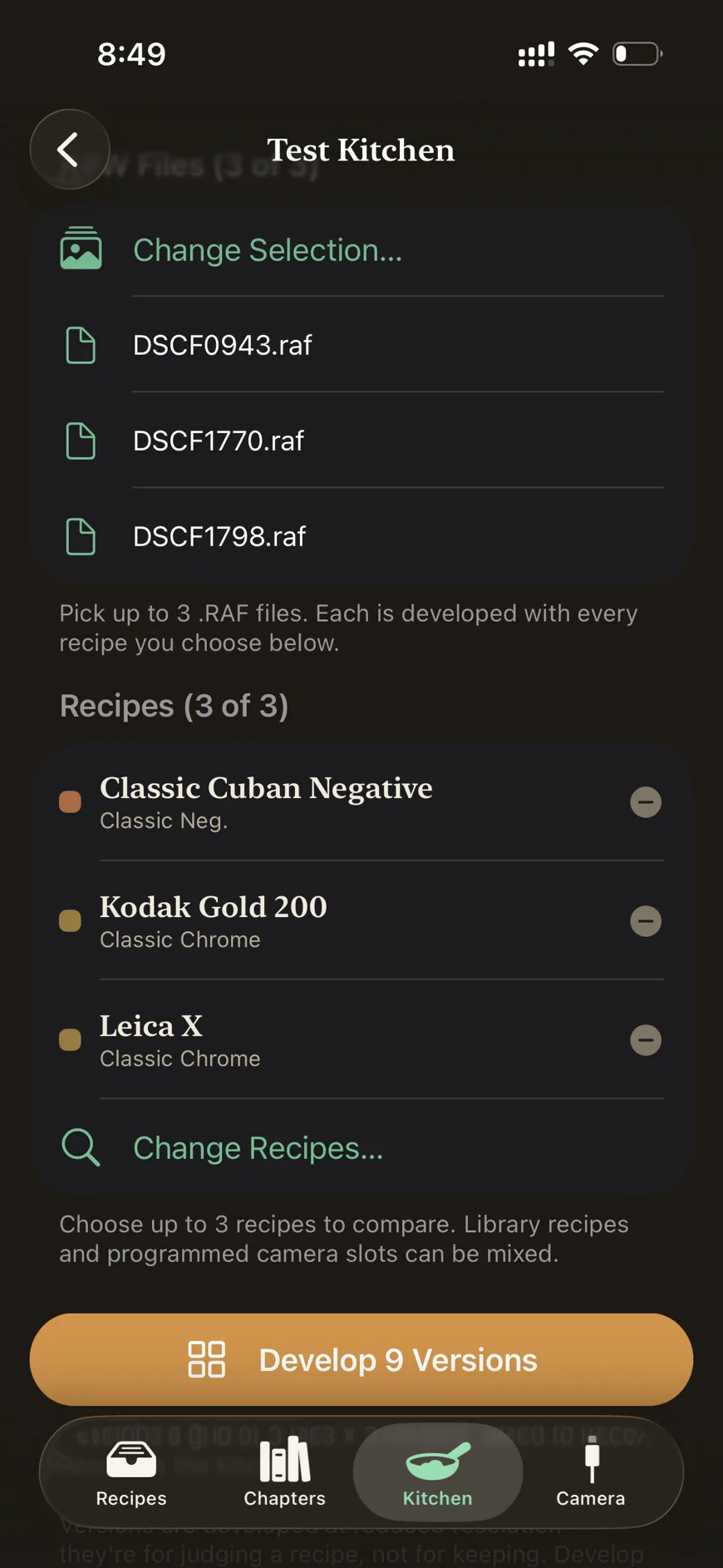
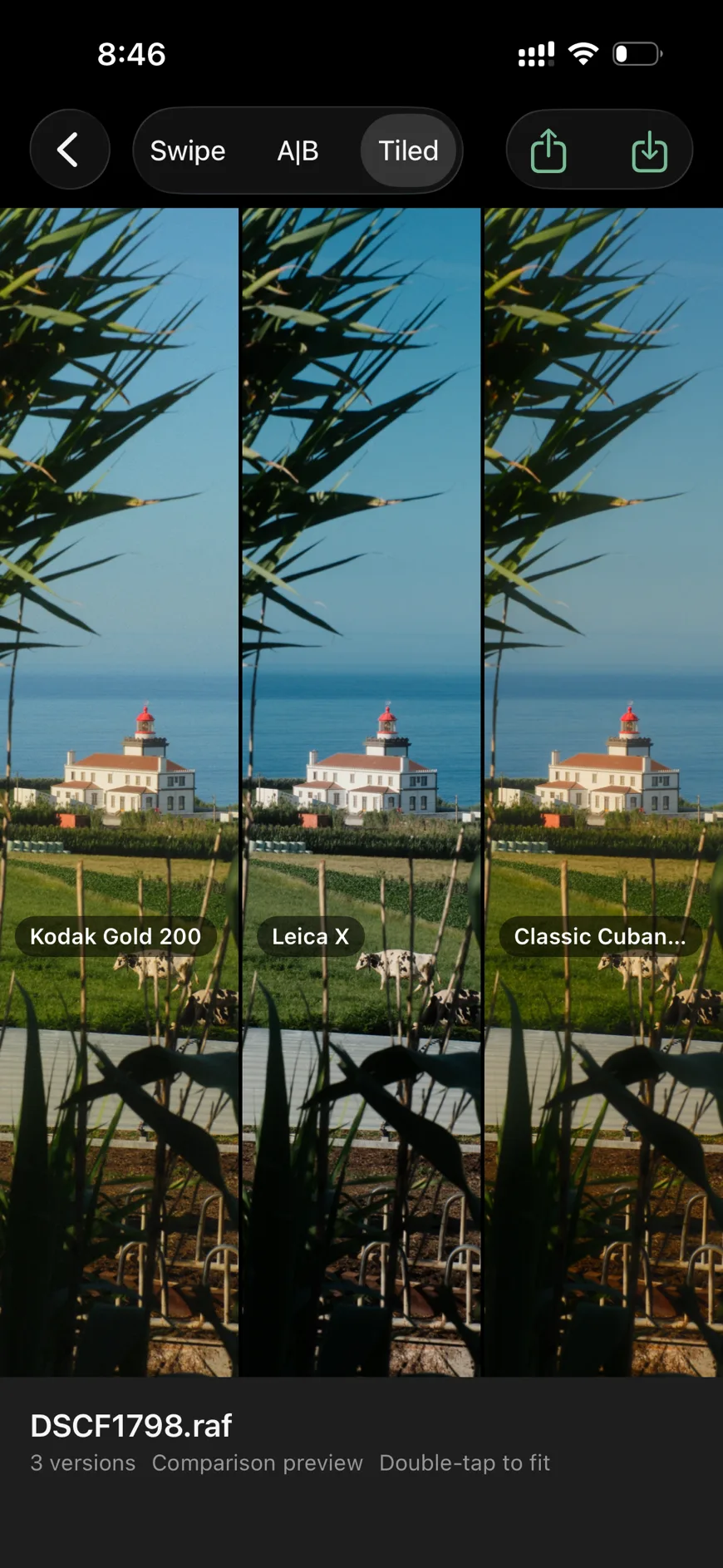
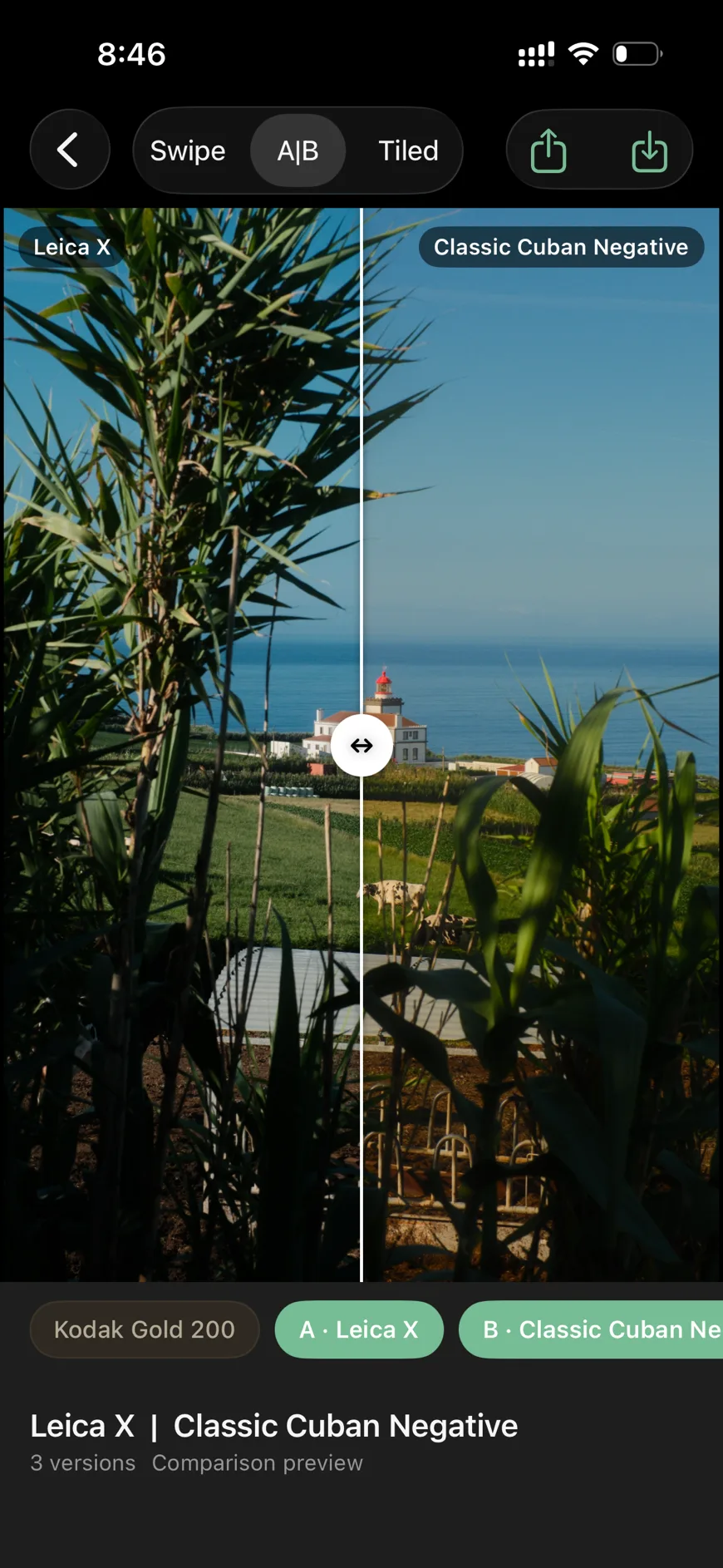
Compare recipes side by side on your own RAW files before you commit to one.
3
Push
Send one recipe to a slot, or a chapter of recipes to every slot at once.
Your library
Find recipes anywhere. Add them to your cookbook.
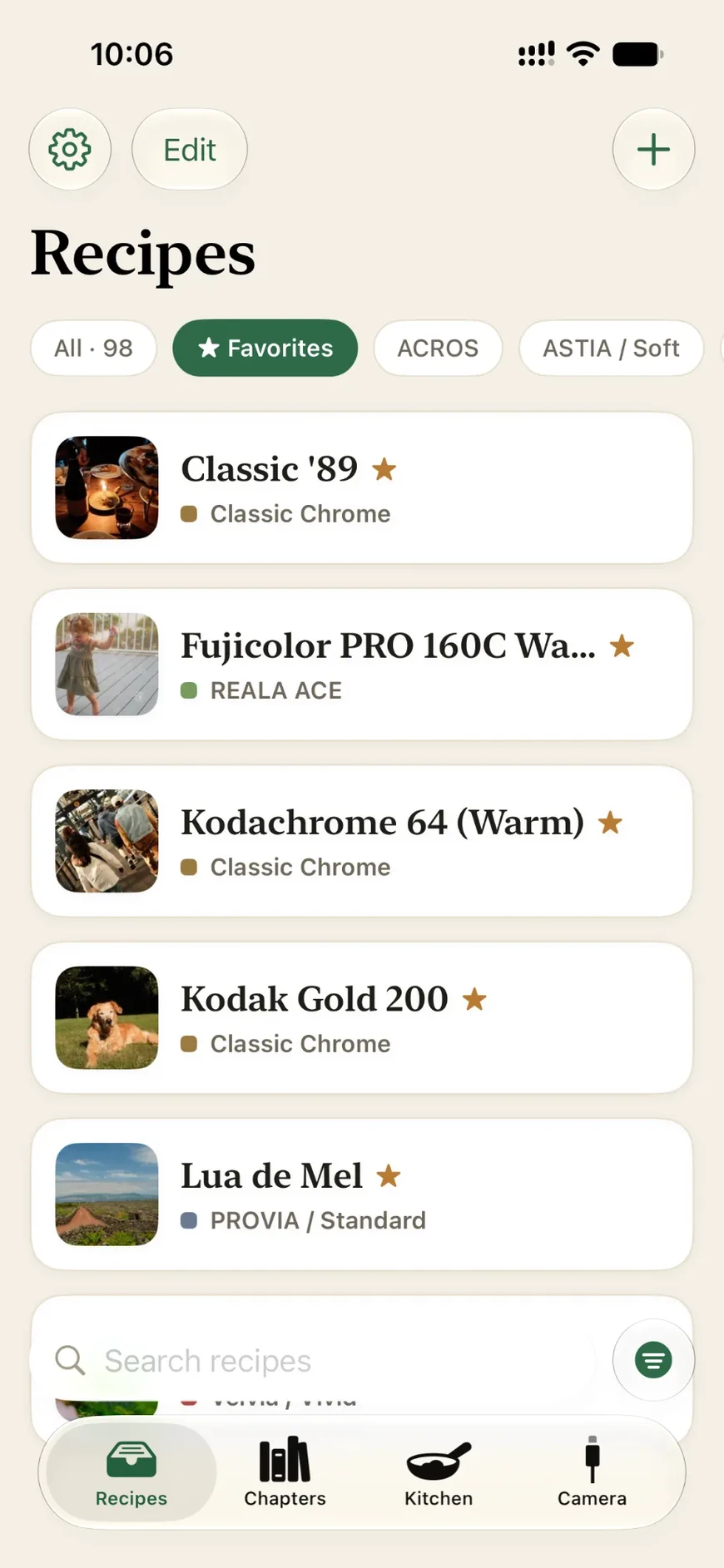
Save recipes from websites, other apps and social posts. Organize your collection and send your favourites to your camera.
Screenshot it
Share or import a screenshot of a recipe, and AI* reads the settings for you to check.
Pull it off your camera
Bring every recipe already saved on your camera into your library at once.
Read it from a JPEG
Every Fujifilm JPEG carries its settings. Open an original and you get the recipe.
Type it or import a file
Enter a recipe by hand, or open a recipe file someone shared.
*Optional and off by default. Uses your own OpenAI or Anthropic API key, stored securely on your device.
Push to your camera
Every slot. One push.
Send a single recipe to the slot you pick, or load a whole chapter: a set of recipes, one for each of your camera’s custom slots. Build a chapter for a trip, a season or a mood, and swap your entire setup in a single push.
Nothing changes on your camera until you confirm, and you can undo your last push to put back what was there.
Introducing the Test Kitchen
Every recipe was shot in somebody else’s light. Test it in yours.
A recipe’s sample photos show how it looked for the person who made it: their day, their weather, their subject. They can’t tell you how it’ll look on your own photos.
Pick your RAW files and up to three recipes, then compare the results. Your camera develops each version itself over USB, so you’re seeing what it would have made.
Why it’s free
There’s nothing to bill you for.
I built Fuji Cookbook for myself, and I’m happy to share it with the Fujifilm community. Every feature is included, with no limits on recipes, chapters or pushes. There’s no account and no server behind the app, so there’s no running cost to pass on to you.
Your recipes, on your phone
Stored locally, no account required. Back them up to your own iCloud if you want. No analytics, crash reports or tracking.
One optional AI feature
That’s reading a recipe from a screenshot. It’s off until you turn it on, and everything else works the same without it.
Bring your own key
Use your OpenAI or Anthropic API key. It goes only to them, never to me, and you pay them about a cent per screenshot.
Open source
Open, down to the protocol.
The app’s code is public, and so is the research behind how it talks to your camera over USB.
The reference builds on other people’s reverse engineering, especially FilmKit (opens in a new tab), rawji (opens in a new tab), libfuji (opens in a new tab), libgphoto2 (opens in a new tab) and ExifTool (opens in a new tab), and adds findings of my own. It’s kept separate from any app’s code, so anyone can use it as a starting point.
Want to contribute? The most useful thing you can do is run the app’s camera test on your own camera and send in the report.
Get cooking.
Free on iPhone and iPad.
Tip the cook
Fuji Cookbook costs almost nothing to run. What it does cost is time: it isn’t my day job, so it gets built at night and on weekends. It’ll stay free forever, but if you’ve found it useful, a coffee makes those late nights a little easier.